
PushTag Shoppable Galleries
Turn lifestyle and creator images into shoppable galleries with clickable product tags. Give visitors a clear path from inspiration to product discovery.
- Explore the living roomProduct tags in the image
- Lamp · Table · SofaChoose the piece you like
Transform lifestyle and influencer images into interactive galleries with clickable product tags.
Example scenario. Content and setup are tailored to your business.
How it works
- 01
Lifestyle image
→ - 02
Product tags
→ - 03
Relevant product
✓
For your industry
One module, tailored to the way your business works.
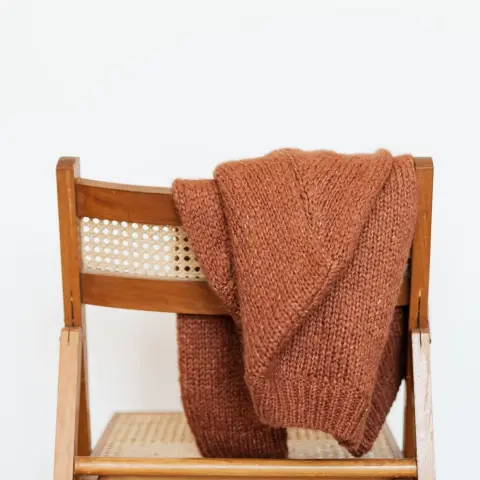
Make an entire look shoppable
Tag the jacket, trousers and bag in a styled photograph. Let visitors go straight from the look they like to each product page.
Explore this industry
Make a room discoverable, piece by piece
Tag the sofa, coffee table and lighting in a living-room photograph so visitors can go from an inspiring interior to each product’s details.
Explore this industry
Make each piece in a jewelry look discoverable
Tag the necklace, earrings and bracelet in a styled photograph so visitors can explore the product page for each piece in the look they like.
Explore this industryA room setting, an outfit or an everyday-use photograph can tell a story with several products. Add clickable product tags to that story with PushTag Shoppable Galleries. Let visitors discover the piece that catches their eye directly from the image and continue shopping.
Help visitors find the product in the picture
Someone who likes a bag or lamp in a photograph may not know its name. Clickable product tags connect the item that caught their attention to its product information. Turn inspiring content into a useful starting point for shopping.
Show products together in context
Lifestyle photography and creator images show how products are used. Tag relevant pieces in an outfit, table setting or room scene to help customers build their own selection. Keep the match between each pictured item and its linked product clear.
Three steps from an image to a product
Choose the image
Prepare lifestyle or creator images you can use in your store.
Tag the products
Match the pieces in the image to the relevant products.
Open up discovery
Let visitors explore products through clickable tags.
Example gallery: the pieces in a room
A living-room image tags the coffee table, lamp and sofa. A visitor taps the lamp’s tag to explore that product, reaching the piece they want without searching for the whole room setting.
Prepare the images and product matches together
- Choose images you have permission to use that show the products clearly.
- Match each tag to the correct pictured product and its current page.
- Organize the gallery around a collection, use case or story.



Which images can I use?
Lifestyle photographs and creator images can form the basis of your gallery. Start with content you have permission to use in your store and in which the tagged products are easy to identify.
How do visitors reach the products?
A clickable product tag in the image guides visitors to explore the relevant product. They can continue discovering products without knowing the name of the piece they noticed.
Can one image feature several products?
The gallery connects images to shopping through clickable product tags. Match the pieces in an outfit or room scene to their corresponding products so visitors can explore them together.
What content should I prepare?
Gather the images, the products to tag in each image and their current links. Decide which collection or use case the gallery should present as a starting point.
Explore every moduleChoose the next step for your business.
- AI Shopping Assistant
- AI Customer Segmentation
- WhatsApp Flow Automation
- WhatsApp Campaigns
- Abandoned Cart Recovery
- Back-in-Stock Alerts
- Welcome Messages
- First-Purchase Incentives
- Birthday Campaigns
- Purchase Anniversary Campaigns
- Reorder Reminders
- Order Status Updates
- Shipment Tracking
- Post-Purchase Surveys & Reviews
- Smart Product Recommendations
- Spin-to-Win
- Lead Capture Pop-ups
- Social Proof
- Bestseller Showcase
- Promotional Side Tab
- On-Site Notification Center
- Exit Surveys
- Trendyol Reviews Integration
- Shoppable Instagram Reels
- PushTag Shoppable Galleries
- Video Hosting
- Inventory Alerts
- Cookie Consent Management
- Win-back Messages
Let’s set it up for your business
Turn inspiring images into product discovery
Share the images and products you want to feature. Let’s discuss how PushTag can connect a visitor’s interest to their next shopping step.